
I put together this list of recommended blogging tools and resources based on products and services I personally use to run my blog business.
I am always on the hunt for tools that help me do more with less effort and in less time whether it’s managing my home life or my business so this list will be updated as I grow and discover new resources.
Because I use (or have used) everything I’ve listed below, I used affiliate links for most of them (so I’ll make a commission if you register or purchase via one of the links).
However, not ALL of the resources had an affiliate program or they didn’t approve me (since I don’t blog about blogging). I’ve listed them anyway because I want the list to be as complete as possible. I hope you find them helpful!
Table of Contents
I use A LOT of resources so this post is really long! To make it easier for you to get to the information you want, simply click on the section you want to see in the list below.
Education
Blogging is a career that requires great flexibility. Technology and algorithms can pivot quickly and the ability to adapt to those changes separates the successful bloggers from those who flounder.

I’ve invested thousands of dollars in different books, courses and memberships. These are the ones I found most valuable:
- How to Make Money Blogging: This FREE ebook was the first book I ever read about blogging and it was my guide for setting up this site in January 2013.
- Start a Mom Blog: Suzi launched this after I’d already been blogging for a few years, but I did buy her course eBook by Number which was excellent. She breaks down things into clear, logical steps and provides plenty of eye-pleasing resources. Follow her on Facebook to get tons of her advice for free before you decide to invest. You’ll get a good idea of exactly how much value she provides (which is a LOT!).
- Project 24: This course is run by the guys behind Income School (check out their YouTube channel for tons of free, spot-on advice about all things blogging). Project 24 is their course that walks you step-by-step through starting a blog and scaling it for a full-time income. I’m using their program to build and grow my niche sites. The best thing about them is that they are CONSTANTLY testing and tweaking their strategy and lessons so their advice is always current.
- Skyrocket Your Pageviews and Dominate the Search Engines Course Bundle: The sooner you learn how to use Google’s free tools (Google Analytics and Search Console), the better. This bundle walks you through them step-by-step with simple tasks so you don’t get overwhelmed.
- Bloggers Tell All membership: This is a group run by all my blog idols and they share their advice and tips freely in the group. Imagine if you knew a super successful blogger who you could hit up for advice whenever you needed help figuring something out or just wanted feedback? That’s exactly what you get in this group plus a peek behind the curtain at how they run their own businesses.
SEO
One of the things I learned that had the biggest impact on my business was search engine optimization. I assumed it would be too technical and require expensive tools so I put it off. Don’t do that!
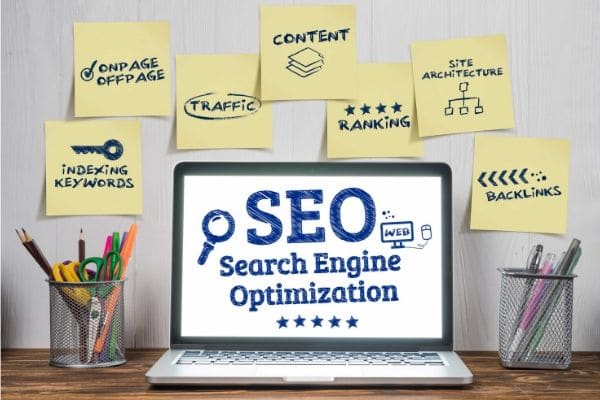
It’s not as hard as you think and once you get the basics, you can really streamline your efforts. Trust me, it will save you time and effort in the long run and you’ll reap big rewards!
- Traffic Transformation: What I love about this course is that Lena is constantly experimenting with what is working RIGHT NOW and then updating the course to reflect that. Her method is the closest to how I do SEO and she’s much more methodical and organized than I am so recommending her course is a no brainer.
- UberSuggest: I wouldn’t have recommended this tool a year ago, but it’s gotten much better and is now pretty robust given that it’s free! It’s a great way to get keyword ideas, see how you’re performing relative to your competitors, and perform a basic site audit to identify areas to improve on your site.
- SEMrush: If you have the budget and want to get serious about SEO, this is the tool used by most bloggers (and many others) for good reason. It’s packed with useful features but the ones I use most are the position tracking feature, optimization ideas and the writing assistant.
Technical Support
My entire livelihood relies on technology and I am woefully tech-challenged. Since all of my income is generated online, I can’t risk making a mistake that takes down my site for hours or days.

I lean heavily on this crew:
- iMark Interactive: Grayson and team are amazing at what they do and they do it with professionalism, honesty, and a genuine interest in helping bloggers succeed. You can hire them for individual problems, but I’m on one of their support plans because I like knowing my site is protected at all times.
- The Blog Fixer: I’m subscribed to their Live Fix feature which automatically fixes any links in my post to tag them appropriately as nofollow or sponsored, sets internal links to open in the same window and external links to open in a new tab, and ensures images link to none. I know how to do each of those things, but it’s so much faster and easier to have it occur automatically, plus I don’t have to worry about the penalties I might incur if I miss one.
My email list is one of my favorite parts of blogging. I’m not comfortable getting in front of the camera so don’t connect as well with my followers on Instagram or Facebook, but boy do I nurture some relationships via email!
My newsletter subscribers get a much deeper look into the real me since I’m pretty candid when I write them. And I do try to reply to every single email I receive from readers because those messages do always brighten my day and remind me who I’m writing for.

From a practical standpoint, every blogger really should nurture their list even if they don’t get the warm fuzzies I do since it’s the one contact stream you can control (somewhat).
I’ve used several email service providers over the last seven years and currently use two different ones because my sites have different needs.
- Flodesk: If you want beautiful emails and opt-ins, don’t need a lot of advanced segmenting and automation features, and don’t want to spend a lot on email, this is the absolute best choice. Since they’re relatively new, they don’t have many features YET and they’ve priced accordingly.
- BirdSend: I recently switched to them after several terrible experiences with MailerLite (who I won’t link to because I will NEVER recommend them as I believe they are unethical). Not only does BirdSend have more features than any provider I’ve been with (including free migration!), they’re less expensive than everyone else (other than Flodesk).
- ConvertKit: It’s the most recommended email service in our industry for a reason. I love them and the only reason I’m not currently with them is that I was doing a poor job at email marketing so I wasn’t making enough from my newsletters to justify the expense. Their customer service is great, they’re rich with functionality, and they’ve been around longer than the first two on this list and thus, are more reliable and stable.
Products
I’m the type of person who has a balanced investment portfolio so that’s how I run my business. The idea of having all my eggs in one basket terrifies me!
I aim for a balance in revenue streams so that I earn an equal amount from ads, sponsorships, affiliate sales, and product sales. That way, if one area dries up, I still have some income to fall back on.

I dragged my feet the longest on products because it carried the highest risk. You could invest a lot of time in creating one, then never sell any.
That’s why most of the product resources I’m about to share are those that either help you create products quicker and easier OR help you sell your product.
Product Creation
- The Product Creator’s Ultimate Toolbox: I love everything that Kara from Simplifying DIY Design creates and her templates have saved me hundreds of hours in product development since she takes care of the part that takes me longest — design.
- Beacon: Let’s you create eBooks from your blog post content quickly and easily. You’ll still have to tweak some of the pages, but you’ll still save hours. The free plan lets you create unlimited lead magnets but you can only use their Smart PDFs (the file lives on their server) which doesn’t inhibit your ability to use them as opt-ins but is a problem if you want to sell your eBooks since you’ll need a downloadable PDF. To get that feature, you need to be on their paid plan ($49/mo).
- Designrr: For eBooks that you want to sell, Designrr is a much better option. It’s just like Beacon but you can get a lifetime license for just $27.
Product Sales
- Thrive Architect: This is what I use to design my tripwire pages and sales pages. It was way cheaper than paying for something like LeadPages (an excellent alternative, just pricey).
- WooCommerce: This is what I initially used for my store since it was simply a plugin I installed on my site and it was free. It is a drain on your site’s resources though so set up a subdomain to limit its impact. It’s well established so integrates with lots of other programs.
- Shopify: This is what I currently use for my store now that I can count on regular monthly sales (I’m on their cheapest plan which is $29/month). I love the look of the storefront, I can list unlimited products, and it integrates with almost everything.
Product Promotion
- SendOwl: One easy way to sell your product is to get other people to sell it for you. Unfortunately, affiliate portals are expensive. SendOwl is the most affordable option out there. It’s not the one I use for my own products but I am an affiliate for plenty of other people who use it for theirs. It’s a bare bones set up, which is great if you like simple and no one else comes close to them in affordability.
- ThriveCart: I run my affiliate program through ThriveCart since it’s one of the included features in my plan. The reason I signed up with them wasn’t just for affiliates though, it was for the ability to offer bumps and upsells to customers which quadrupled my product sales.
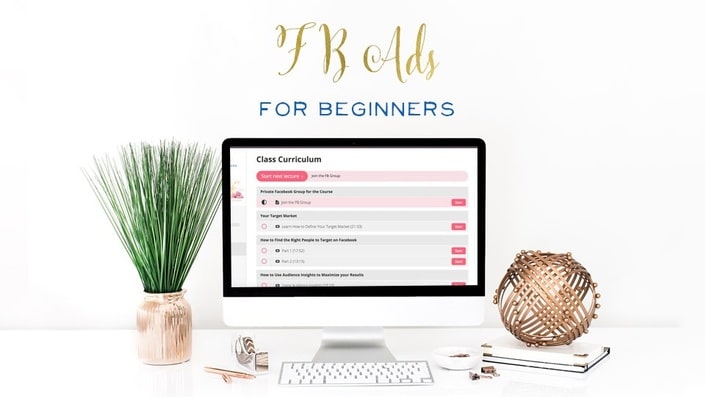
- FB Ads Intensive: Of all the courses I’ve taken, this one is one of the most comprehensive and valuable. Beth Ann walks you through EVERYTHING you need to know to set up and run successful Facebook ad campaigns, starting at setting up the pixel all the way through scaling your campaigns. She only opens a few times each year and not everyone who applies is accepted. But if you can get in, you’ll definitely get your money’s worth! Or, you can grab her beginner course for much less.
Even though they’ve gone public and are slowly moving towards pay-to-play (life Facebook), Pinterest still sends a lot of traffic to all of my sites and thus, gets its own featured list of resources in this post.
- PicMonkey: I tried PhotoShop and Lightroom and gave up. I’m just too tech challenged to use them effectively or efficiently so I do all my photo editing in PicMonkey. I used to use it to create all of my pins as well, but I found a system I like better.
- Canva Pro: Once Canva Pro added animation features and the ability to create video pins, I moved to it for creating my pins. Then, they made it even better by making all images in their library free to pro plan members which is saving me mega bucks on stock images and videos.
- DIY Design Creator’s Vault: This is another resource from Simplifying DIY Design, but instead of a course, this is a membership. Every month I get 30 new Canva templates (5 pin templates for blog posts, 5 pin templates for products, 5 Instagram templates for blog posts, 5 Instagram templates for products, 5 product mock ups).
- Mega Pin Creators Bundle: For those who don’t want to be locked into a membership, Kara has this bundle of 60 different Canva pin designs.
- RelayThat: This is my absolute favorite tool right now and as of this writing it’s still available as a one-time fee lifetime deal on AppSumo. You copy and paste in a link to a blog post and then it auto generates dozens of completely varied images for you. I use it to create multiple pins for a post, but it also generates images for dozens of other dimensions (e.g. Instagram, Facebook, book cover, business card).
If you’re wondering why I didn’t list a pin scheduler, it’s because I don’t recommend one. I was with Tailwind for years and they were okay for awhile.
However, over time the program got clunkier, not better and Pinterest’s latest changes obliterated the reach of any pin that came through Tailwind (for me). Tribes were still sending some traffic but as more and more people leave due to the same reasons I did, I expect tribes to become ineffective as well.
I do still schedule pins, but I do them all within Pinterest using their scheduling tool. This means I can only do two weeks at a time, but those pins perform really well.
Social Media
Even if algorithms stifle our organic reach, social media is still a key piece of a blogger’s branding and influence. If you want to work with brands, they’re going to consider your social media presence.
And no matter what, your site needs traffic which social media has the power to deliver and also influences your search traffic since social proof is a ranking factor.

As I mentioned above, I use Pinterest’s built-in scheduler to schedule my pins. Likewise, I use Facebook Creator to schedule posts to my Facebook groups and to Instagram.
I do use MeetEdgar to schedule content for my Facebook pages and for Twitter. That’s because I can easily add new content to different categories (I have categories set up for holidays and different types of content), import RSS feeds from my own sites and my friends’ sites, and no matter what is happening in my daily life, I have content flowing to Facebook and Twitter.
Miscellaneous
There are a few other resources I consider invaluable but they didn’t fit neatly into any of the categories above. Here they are:
- PushEngage: This is the program I use to send push notifications which have been great for increasing traffic to my site.
- Thirsty Affiliates: This plugin makes it super easy to add affiliate links to your posts and it lets you link automatically to keywords so you can use it for your own products and posts to grow sales and build internal links!
- Ultimate Bundles: I think these bundles are tremendous resources for my readers and as both a contributor and affiliate, I’ve generated some great income from them.
- Fiverr: Although it sometimes takes a few tries to find the right person for the job, you can’t beat the price whether you need a logo designed, a keyword plan, or a product created (I’ve used Fiverr for all three).
- iWriter: If you want to use ghostwriters to help you create content and free up some of your time for other projects, this is a gold mine. You choose the quality (there are four tiers) you’re willing to pay for, you set the word count, keywords and keyword density, and specify anything else that’s important to you and you get articles back quickly (I ordered 14 at once and had them all back within 24 hours).
- Bulk Resize Photos: I use this every day. I just copy an entire folder full of images to the site, select a max width of 600 pixels and it resizes all of them in under a minute. And it’s completely free!
- Restored316: They have beautiful WordPress themes that are really easy to install and customize. I use the Sprinkle theme on Sequins in the South.
Well, that’s the lowdown on everything I use to run five blogs and still spend time with my family. As I continue to evolve and grow, I’ll keep this list updated.
